@henryqw/pi-multi-codex


Add multiple ChatGPT Codex OAuth accounts and start Pi work on the eligible slot with the most remaining quota. The extension switches away from active five-hour quota blocks and can retry an HTTP 429 on another eligible slot.

Install
pi install npm:@henryqw/pi-multi-codexThis package requires Pi 1.1.0 or later in the 1.x series.
Works with
| Package | Relationship | Purpose |
|---|---|---|
@henryqw/pi-footer |
Improves | Shows the remaining quota or five-hour quota block of the active slot in the footer. |
@henryqw/pi-subagent |
Improves | Isolated children keep Main’s active Codex slot. |
@henryqw/pi-task-models |
Improves | Numbered slots share one profile route. |
Use
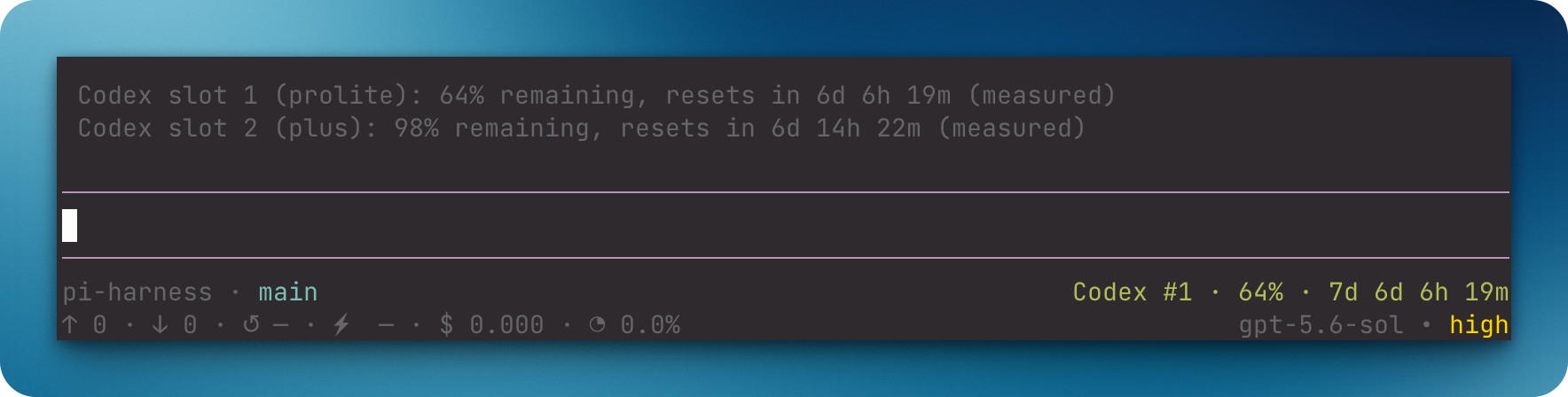
First, run /login and authenticate OpenAI Codex (legacy) for slot 1. Run /codex-add. Then run /login and select the new OpenAI Codex #<n> provider. Restart Pi or update model scope. Then run /codex-status. The status lists the new slot with cached quota when available, or unavailable until the first successful usage snapshot.
| Surface | Type | Purpose |
|---|---|---|
/codex-add |
command | For people: create the next numbered slot, then authenticate that slot. |
/codex-status |
command | For people: show shared usage snapshots and five-hour quota blocks. It never waits on the network. |
/codex-switch |
command | For people: select an authenticated, scope-allowed slot for the current Codex model. |
Pi model selector (OpenAI Codex (legacy), OpenAI Codex #<n>) |
ui | Choose an authenticated account slot. |
Pi status pi-multi-codex |
ui | Report the active slot’s fresh quota, five-hour limit countdown, or stale/unavailable state. @henryqw/pi-footer displays it in the footer. |
The footer and /codex-status show the five-hour reset countdown for Free, Go, and Plus tiers. They show the seven-day reset countdown for Pro Lite and other tiers. A numbered slot is one Codex account position in Pi.
Flow
- Before the first agent start, only fresh usage snapshots enter startup ranking. The slot with the most remaining quota wins.
- An explicit model selection always wins for the next agent start.
- Before later agent starts, a known active five-hour quota block switches to the eligible fresh slot with the most remaining quota.
- After HTTP 429, failover can use authenticated, registered, scope-allowed, untried slots with stale or missing quota.
- Failover skips known active five-hour quota blocks. It ranks fresh known quota first, then unranked slots by slot number.
- Routing preserves the model ID.
- Only physical Codex models are slots. A virtual model listed under
openai-codex, such asopenai-codex/auto, is never routed to a slot and shows no quota status. - During one agent run, each eligible slot is tried at most one time after HTTP 429 responses.
- Automatic retry stops when no untried eligible slot remains.
- The footer shows the fresh quota or five-hour quota block of the active slot.
Config
Package-owned: ~/.pi/agent/config/pi-multi-codex/config.json
| Name | Description | Values | Default |
|---|---|---|---|
autoSwitchOn429 |
Switches to another eligible slot after an HTTP 429. | Boolean. | true when the config file is missing |
Edit this file yourself. The extension does not create or write it. A missing file uses the default true, and config changes take effect at the next session start. Set autoSwitchOn429 to false to disable automatic switching. A present config must contain only this field as a boolean. If the config is invalid, the extension keeps the file, shows a warning, and disables automatic switching for the session. Fix the file and start a new session to recover.
State and storage
The extension keeps a generated, credential-free quota cache at ~/.pi/agent/config/pi-multi-codex/usage.json.
Limits and recovery
The extension reads auth.json to identify account slots but does not directly edit credentials. When it asks Pi’s auth resolver for a token to check quota, Pi can refresh expired OAuth credentials and update its auth store.
Scoped sessions can switch only to exact scoped aliases.